Technology and devices connected to the Internet are already part of our daily lives. They are present everywhere. From social networks to work e-mail, from the smartphone always at hand to the smart TV in the living room, we are always accessing content, receiving information, exchanging messages or enjoying some entertainment. It is undeniable that all this technology has brought many benefits to our lives.
However, for the use of these facilities to be always safe, it is essential to be aware of privacy and data security issues. That’s why on January 28th we celebrate the International Day of Personal Data Protection. A date dedicated to raising awareness of the importance of secure use of online technologies, with an emphasis on preserving privacy and personal information.
We have selected some tips that should be followed to ensure the security and protection of your data on the Internet. By following them, you will be reducing risks and making safer use of your connected devices. Take these precautions and disclose this information so that everyone can have a safer navigation.
Safety Tips
Keep your computer and smartphone software always updated, especially antivirus programs. Also try to install firewall and encryption programs that help keep your data safe.
Keep an eye out for unsolicited messages that ask for personal information or download files. If you are from an institution, contact us by phone to make sure the message is authentic. Never fill out forms or download files without being sure of their origin.
Do not use passwords that are easy to reproduce or that are related to you, such as your birthday or that of people close to you. Try to create random passwords that mix upper and lower case letters, numbers, and special characters.
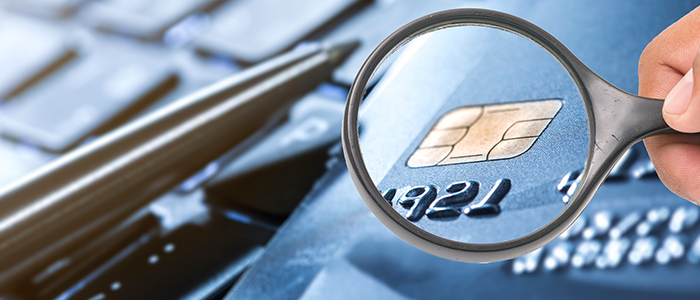
Do not use public computers to access sensitive information, such as bank details. These machines may be programmed to retain information such as account number and password. The same goes for the use of public Wi-Fi networks. When accessing them, avoid entering sensitive content and entering passwords, as they may be being captured without you noticing.
After accessing sites that require a password, remember to logout from them. This prevents your data from being exposed if another person accesses the computer.
If you store personal content in the cloud, in services such as Dropbox, Google Drive etc., prefer to do so in password-compressed files. This way, even if someone can access them, they will not be able to see your content.
In social networks, be aware of the degree of privacy of what you post. It is always possible to
configure it so that only friends or even some specific people see what you share. Keeping the privacy setting fully open is always a risk of exposing your information to people you don’t know.
Adopting these attitudes and always being aware of security and privacy issues is very important to preserve our privacy and keep our data away from any risk.
Did you like our content? Share with your friends and collaborate for the awareness and greater protection of your personal data on the Internet.